


You can set up a free subdomain for each of your services through our Game Panel. A subdomain allows you to share your server with your players without the use of a numerical IP, such as 111.111.111.111:25565, and gives you the freedom to change the IP in the future without having to share it again.
The subdomain we offer would use one of our domains such as playwn.co and a custom “vanity” text at the beginning of the domain, for example server.playwn.co.
What is a Subdomain
A subdomain is the part of a domain that sits before a normal domain. For example, a normal domain of playwn.co can have a subdomain of server.playwn.co. By using a subdomain a domain owner can increase the number of locations their domain can be directed at. In the case of WinterNode, we allow our clients (you) to direct subdomains under some of our domains to their Game Servers that you rent from us.
The benefits of having a domain or subdomain instead of a numerical IP for your Game Server include it being easier to communicate to your players, the ease in which they can be redirected if you need to change the numerical IP of your server, and being able to add some of your branding to the subdomain itself. Since we offer a subdomain for free there’s little reason not to set one up for your Game Server. There are however, some caveats to how subdomains are defined in the DNS or Domain Name System, we cover the most important ones directly below.
Ports
A subdomain is directed towards one of your server’s allocations, each allocation contains the servers IP and a port that it has available to it. The subdomain is then created with two types of DNS records, a SRV record and an A record. The SRV record contains and respects the port provided by the allocation and the A record only has the IP. However, not all services support SRV records, including HTTP(S), the service that is used to run websites.
Minecraft Java, and most other games/game engines do support SRV records and will use the SRV record, but when connecting to web pages hosted by your game you’ll need to provide the port the web page is hosted on just as you would if you were connecting via the numerical IP.
Minecraft Bedrock is an exception: it ignores SRV records, including for Bedrock players joining a Java server through Geyser. Bedrock players enter your subdomain as the address and type the port themselves. On a Geyser server, that’s your Geyser port, not your Java port. See Bedrock can’t connect with my subdomain.
Propagation
Because of the sheer amount of people using the internet, there are thousands of “DNS Servers” across the world that communicate with each other to keep an up-to-date list of domains and their associated IP addresses. They each store those lists for a specified period of time before requesting a new list from a nearby DNS Server. This is called “caching” and results in a propagating affect when a change is made, similar to drooping a stone in a pool of water.
Once one DNS Server has received and approved a change, it takes time for other nearby DNS Servers to update their list and pass it on to their neighbors. For the most part this happens relatively quickly, but it can take up to 72 hours depending on a countless number of factors.
Available Primary Domains
This is a list of Primary Domains that we offer for Clients (you) to use for your subdomains. If the subdomain you want is available under any of the Primary Domains listed below, or on the Game Panel, then you are free to use it by setting it up in the Game Panel!
- playwn.co
- r2f.co
Open Domains
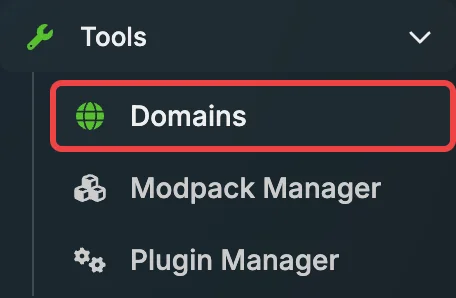
In the Game Panel, select your server, then open Tools > Domains in the sidebar.
The Domains table shows:
- Name: the complete domain players use
- Serves: what the domain provides, such as Game DNS + SRV
- Targets: the server allocation the domain points to
- Web Status: whether web serving is active for the domain
Create a Domain
- Click Create in the top-right corner of the Domains page.

- In the Add Domain wizard, complete the Hostname step:
- NAME: enter the vanity name that comes before the primary domain. For example, enter
serverforserver.playwn.co. - DOMAIN NAME: choose playwn.co or r2f.co.
- NAME: enter the vanity name that comes before the primary domain. For example, enter

- Click Next.
- In the Target step, choose the ALLOCATION players will connect to through this address.
- Click Submit. The new entry appears in the Domains table.
If the name is already in use, the panel tells you after you submit the wizard. DNS changes often work quickly, but propagation can take up to 72 hours.
Delete a Domain
- Find the domain in the table and click the red trash icon at the far right.

- In the Delete Domain dialog, review the warning that its DNS records and web serving will stop working.
- Under TYPE THE NAME TO CONFIRM, enter the complete domain shown in the dialog, including the primary domain. For example, enter
server.playwn.co, not onlyserver. - Click Delete.
