


 SCP: Secret Laboratory
 SCP: Secret Laboratory servers are a lobby waiting for enough players to connect or for an admin to start the game. There are two ways to connect to a server, Direct Connection and the Public Server List. Direct Connection is available by default with no additional configuration, but the server list requires manual verification by the game’s developers.
Direct Connect
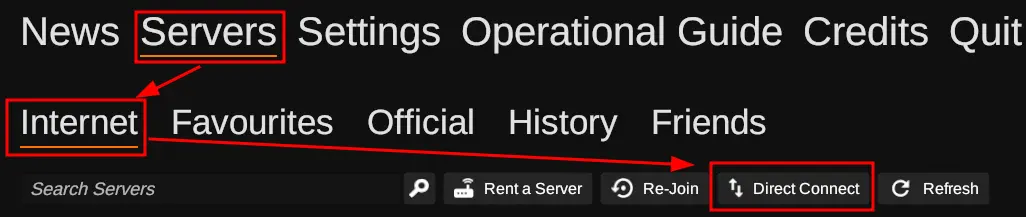
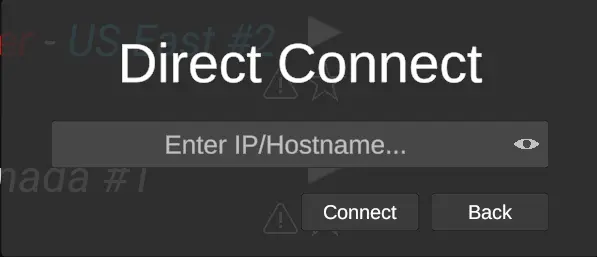
If your server isn’t verified and/or is private you’ll need to use the “Direct Connect” option under the “Servers” -> “Internet” tab. Clicking on the “Direct Connect” option, you’ll be presented with a modal similar to the one shown below with a field for the IP and Port of your server.
SCP: Secret Laboratory uses the primary allocation for your server, so you can locate your server’s IP under the name of your server on the server list or when viewing the server’s page, as shown here.
Public Server List
SCP: Secret Laboratory has a public server list accessible from the in-game main menu. Getting your server listed requires verification by Northwood, the game’s developer. This involves configuring your server, running an auto-verify command or emailing Northwood, and agreeing to the Community Server Guidelines.
For the full verification process, see How to Verify Your SCP: Secret Laboratory Server.